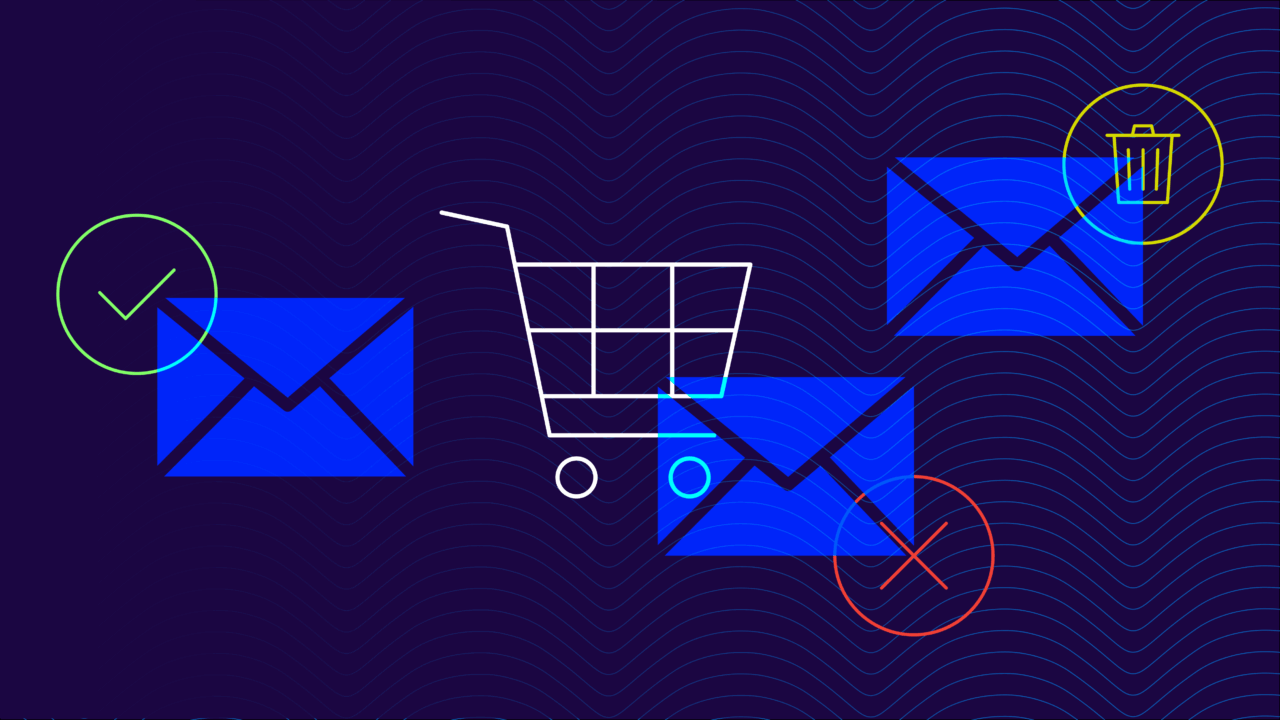
A customer gets an exciting email from their favorite retail store. “Flash sale – 75% off everything!” The branding looks perfect, the sender seems legitimate, and that deal is too good to pass up. They click through, enter their credit card details, and…you can guess where this is going.
The thing is, retail brands are prime targets for email fraud. Think about it: Your customers are already primed to expect promotional emails, shipping updates, and order confirmations. They trust messages that appear to come from your domain. And spoofers count on that trust.
These days, retail has become a favorite playground for email scammers. Why bother with complex schemes when you can just impersonate a trusted store and rake in credit card details, personal information, or straight-up fraudulent purchases? No weird Nigerian prince scams or IRS impersonations.
One spoofed email blast to thousands of customers, and suddenly you’re dealing with fraud claims, angry customers, and a reputation that’s getting roasted on social media. For IT teams, that means after-hours incident response; for marketing, it means plummeting open rates and unhappy stakeholders.
And according to the Verizon Data Breach Investigations Report (DBIR) 2025, 16% of the 22,000 data breaches in the retail industry involved a phishing attack. And after a cyberattack, customers are 75% less likely to engage with your brand.
That’s where DMARC (Domain-based Message Authentication, Reporting, and Conformance) can help. It’s your store’s security system, but for email. Just like you wouldn’t let someone walk into your store wearing a fake employee uniform, DMARC doesn’t let scammers send emails pretending to be you.
Below, we’ll break down everything retailers need to know about DMARC: what it is, why you can’t afford to skip it, and how to implement it without disrupting your can’t-miss customer communications. Because in retail, trust isn’t just nice to have—it’s fundamental for survival.
And if you already have DMARC at a “none” or “quarantine” policy, we’ll show you how to get to full enforcement (and BIMI) without burning hours of IT time.
Why email security matters in retail
Unless you have some unicorn business model, email is likely the digital backbone of your business. Sure, social media might get all the buzz, but email is still where the real action happens: order confirmations, shipping updates, customer service, marketing campaigns, vendor communications (and the list goes on).
Think about your daily email operations:
- Customer communications: From welcome emails to abandoned cart reminders, your customers expect (and trust) these messages. When a customer sees an email from your store about their recent purchase, they shouldn’t have to wonder if it’s legitimate.
- Marketing and promotions: Your marketing team works hard to create perfect promotional emails. Flash sales, seasonal campaigns, loyalty program updates—these drive major revenue. 64.6% of businesses will say that email deliverability issues have impacted their revenue. But if customers start doubting whether these emails are really from you, your click-through rates (and sales) will tank.
- Order management: Every purchase triggers a chain of emails: order confirmations, shipping updates, and delivery notifications. These are critical touchpoints in the customer journey. One fraudulent shipping notification can send your customer service team into chaos, and you might just lose that customer forever.
- Supply chain coordination: Behind the scenes, you’re constantly exchanging emails with suppliers, manufacturers, and logistics partners. These communications contain sensitive information about inventory, pricing, and shipping details. If a scammer intercepts or spoofs these communications, things could get messy quick.
Your brand’s email domain carries weight. When customers see an email from @yourstore.com, they’re more likely to open it, click links, and even share personal information. That trust is precious (and exactly what cybercriminals want to exploit).
And with online shopping on the rise, email might be the only way to reach your audience. Your customers might not visit your physical store for weeks, but they’re checking their email every day. It’s often your main line of communication with them. If that channel gets compromised, you’re losing a communication tool and you’re risking your entire relationship with your customers.
The real cost of email fraud in retail
When scammers successfully phish your retail domain, the damage spreads faster than a Black Friday sale. Unlike a pricing mistake that you can quickly fix, the impact of email fraud can haunt your business for years.
Imagine a scammer sends out thousands of emails pretending to be your store, promoting an “exclusive flash sale.” By the time anyone notices, hundreds of customers have handed over their credit card details.
What does this cost you, though? Well, here are some of the damages:
- Immediate financial hits: We’re not just talking about fraudulent transactions (though those can add up fast). Think forensic investigations, system audits, and emergency security measures. Plus, you might need to comp legitimate customers who got caught in the mess.
- Customer service meltdown: Your support team suddenly has to handle a flood of angry customers, fraud reports, and account issues. And a canned “We’re sorry” response isn’t going to cut it. You’ll need to beef up your support team, which means more overhead just when you’re dealing with fraud losses.
- Brand trust in free fall: This one hurts the most. That trust you’ve built with customers? The one that makes them open your emails without a second thought? Yeah, that takes a serious hit. When customers start second-guessing every email from your store, your marketing effectiveness plummets.
- Long-term revenue impact: Customers who’ve been burned by a spoofed email are less likely to shop with you again. They’ll think twice before clicking your legitimate sale emails. Your email marketing ROI? It might take months or even years to recover.
- Regulatory headaches: If customer data gets compromised, you’re looking at potential fines and regulatory investigations. Data protection laws aren’t exactly forgiving when it comes to customer information being exposed.
- Recovery costs: Getting back to normal isn’t cheap. You’ll need to invest in improved security, customer communication campaigns, credit monitoring services for affected customers, and PR damage control (because these things tend to make headlines).
The move towards tighter compliance for retail senders
Recently, the biggest mailbox providers like Google, Yahoo, Microsoft, and Apple have all made moves to require email authentication protocols for mail to be delivered.
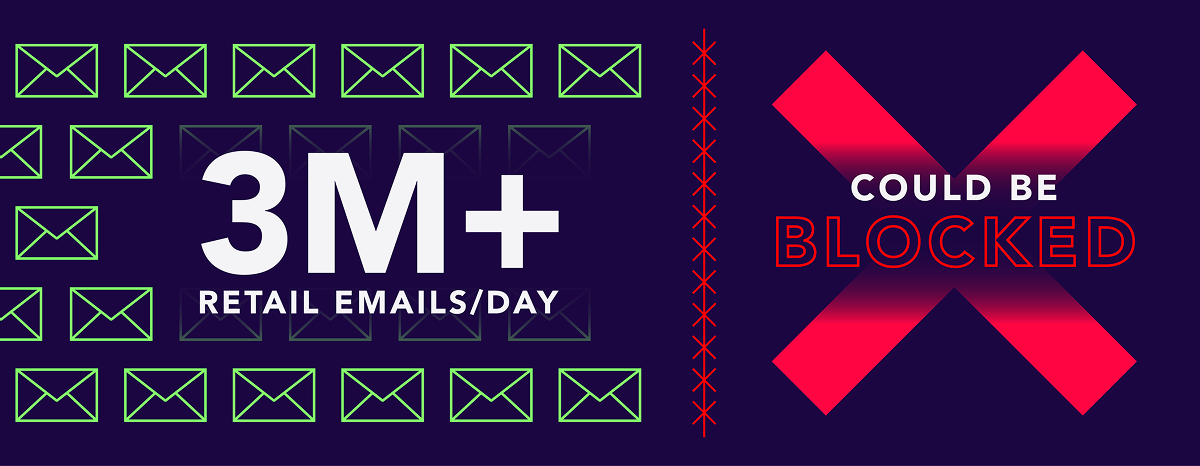
If they were all enforced tomorrow, up to 3 million retail emails a day would be locked, impacting revenue for hundreds of companies.
“The DMARC changes for Google and Yahoo set off this firestorm, and I am by no means a DMARC expert. Valimail graciously taught me the basics! It is helping me to identify my third-party senders that are or are not passing DMARC, so I can update these APPs.”
– Damon Palame, Director of eCommerce, SaltWrap
The good news? Retailers are in a strong position to close these gaps. Retailers can drastically cut spoofing risk by enabling reporting, moving to enforcement-level policies (quarantine or reject), and continuously monitoring domain usage. These steps don’t just protect customer communications; they also safeguard brand reputation and revenue. Most importantly, they ensure that DMARC continues to serve as a future-proof foundation for retail email security in an increasingly compliance-driven landscape.
What is DMARC?
DMARC stops scammers from impersonating your brand in emails. Unlike those AI-powered security tools that play endless catch-up with fraudsters, DMARC takes a simpler approach: it verifies sender identity. Either you’re authorized to send email from the domain, or you’re not.
DMARC works with two other protocols:
SPF is your approved sender list. It tells email providers exactly which servers are allowed to send email from your domain. DKIM adds a digital signature to your emails that proves they haven’t been tampered with in transit. It’s like the security seal on a product package—if it’s broken or missing, something’s wrong.
Use our free Domain Checker to see if your brand is is protected from phishing, over the SPF 10-lookup limit, or ready to implement BIMI.
Check your
domain now
Enter your domain to see if it’s vulnerable to spoofing or if others are sending emails on your behalf. Instantly check your DMARC, SPF, and BIMI status with a detailed security report.
You’re not fully protected, learn more here.
Check your
domain now
Enter your domain to see if it’s vulnerable to spoofing or if others are sending emails on your behalf. Instantly check your DMARC, SPF, and BIMI status with a detailed security report.
You’re not fully protected, learn more here.
Check your
domain now
Enter your domain to see if it’s vulnerable to spoofing or if others are sending emails on your behalf. Instantly check your DMARC, SPF, and BIMI status with a detailed security report.
You’re not fully protected, learn more here.
Your Domain
Not protected AGAINST IMPERSONATION ATTACKS
DMARC NOT AT ENFORCEMENT
exampledomain1.com
Authentication Status for January 10, 2025
DMARC at Enforcement
SPF Record Configured
BIMI Ready
exampledomain1.com
Authentication Status for January 10, 2025
DMARC at Enforcement
SPF Record Configured
BIMI Ready
How DMARC works
When an email claims to be from your store, DMARC checks both SPF and DKIM. Based on what it finds, it can take three different actions.
- p=none (monitor mode): the email gets delivered but you get reports about it.
- p=quarantine: suspicious emails go straight to spam.
- p=reject: unauthorized emails get blocked completely
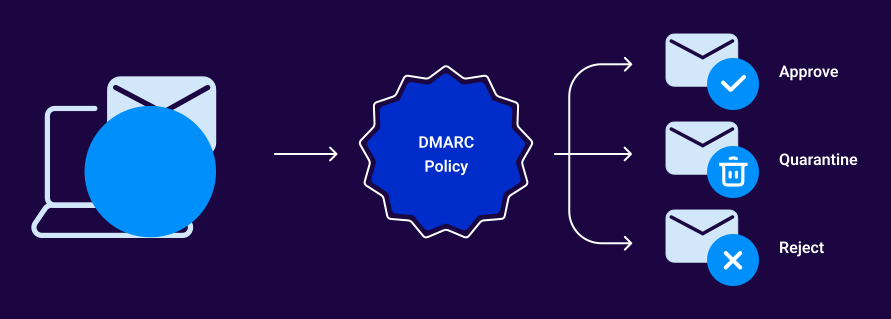
DMARC does more than just block emails. It also sends you detailed reports about who’s trying to use your domain. You’ll see attempted spoofing attacks, unauthorized sending attempts, and even legitimate emails that might be failing authentication.
Raw DMARC data can be a little hard to parse (especially if you’re new to it), but Valimail Monitor helps translate these reports into actionable insights about your senders and enforcement status. Oh, and it’s free to use.
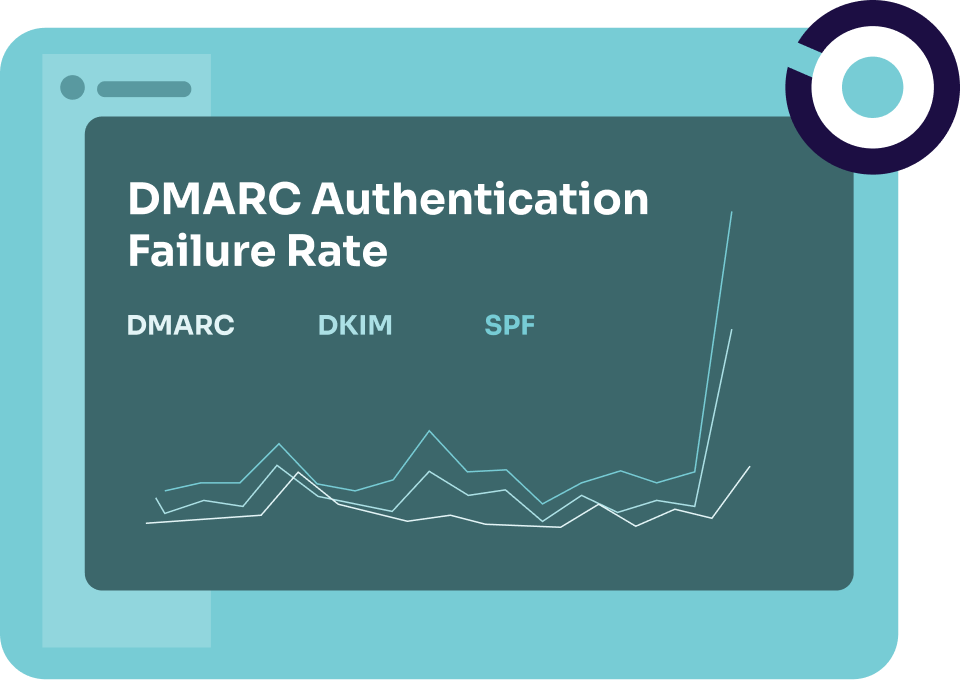
Once you set up DMARC, it works everywhere: Gmail, Outlook, Yahoo. All major email providers check DMARC before delivering emails claiming to be from your domain.
Unique challenges for DMARC implementation in retail
Implementing DMARC in retail isn’t like setting up a new POS system. Retail has its own set of special circumstances that make DMARC implementation tricky. Here are a few of the challenges you’re up against:
1. Marketing platform complexity
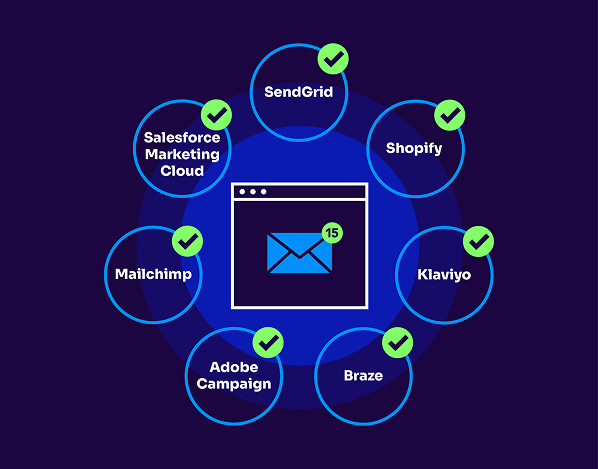
Your marketing team probably uses multiple platforms to send emails. Maybe Klaviyo handles your automated flows, Mailchimp manages your newsletters, and Shopify sends your order confirmations. Each of these platforms needs proper authentication, and they all need to play nice with DMARC. Plus, when your marketing team wants to try out a new email tool (which happens more often than you’d think), you’ll need to make sure it’s properly authenticated, too.
2. Seasonal email spikes
Retail lives and dies by seasons. During the holidays, your email volume might jump 500% or more. DMARC needs to handle these massive spikes without any hiccups. A false positive during Black Friday could mean potentially millions in lost sales. Your authentication setup needs to be rock-solid before those peak seasons hit.
3. International operations
If you’re selling internationally, you’re dealing with multiple domains, different email providers, and varying regional requirements. A .com domain might handle your U.S. operations, while .co.uk serves British customers. Each domain needs its own DMARC setup, and they all need to work together.
4. Third-party integrations
Modern retail runs on integrations. Order management systems, loyalty programs, review platforms, customer service tools—they might all send emails on your behalf. Each one needs to be properly authenticated, and some might not even support modern email authentication out of the box.
5. E-commerce platform limitations
Your e-commerce platform might have its own email sending capabilities with limited authentication options. Some platforms make it easy to implement DMARC, while others…well, let’s just say they make it interesting. You need to work within these limitations while still maintaining strong security.
6. Resource constraints
Your IT team is probably already juggling a dozen projects. Between managing your e-commerce platform, keeping the POS systems running, and handling day-to-day tech issues, finding time to implement and maintain DMARC can be downright challenging. And, unfortunately, email authentication isn’t usually at the top of the priority list (until something goes wrong).
7. Legacy systems
Many retailers still run older systems that weren’t designed with modern email authentication in mind. Maybe your inventory management system sends automated emails through an ancient SMTP server, or your CRM is a few versions behind. These legacy systems can make DMARC implementation feel like fitting a square peg in a round hole.
Real-world implementation strategy for retailers
While there’s no one-size-fits-all approach to DMARC implementation, here’s a practical step-by-step approach you can follow that won’t derail your daily operations.
But there is some good news. According to Valimail’s research in our retail report, 95% of retail domains already publish DMARC; roughly half are at reject. For the 95% with DMARC, 50% are at reject, 20.4% at quarantine, and 29.2% at none. For the 95% with DMARC: 94% have reporting; 6% have no reporting.
If you’re in the other 50% at quarantine or none, here’s a battle-tested plan:
Start with a complete domain inventory, and we mean complete. Beyond your main website domain, you need to track down every subdomain that sends email. That old loyalty program microsite from 2019? Yeah, check if it’s still sending emails. The holiday landing page your marketing team spun up last December? That too.
Phase 1: Monitor and map (2-4 weeks)
Start with a p=none policy and use this time to understand your email ecosystem. You’ll discover services sending email that you didn’t even know about, from that abandoned cart recovery tool your e-commerce manager installed to the customer feedback system your support team uses.
Our threat map shows that email attacks come from across the globe. In 2024 alone, Valimail blocked 123 million+ suspicious and malicious retail messages.

Phase 2: Clean up and authenticate (4-6 weeks)
Now comes the real work. Take your list of legitimate senders and get them properly authenticated:
- Work with your marketing team to consolidate email services if needed
- Set up SPF records for all your sending services
- Configure DKIM signing where possible
- Document everything (you’ll thank yourself later)
Phase 3: Test and validate (2-3 weeks)
Before you move to enforcement, test everything. We’re talking:
- Send test emails from all your systems
- Run your marketing automation flows
- Try your order confirmation systems
- Test your customer service email tools
Create a spreadsheet that tracks every type of email your business sends, who sends it, and whether it passes authentication. This document will become your best friend.
Phase 4: Gradual enforcement
Don’t just flip the switch to p=reject. Instead:
- Move to p=quarantine with a percentage policy (start with 25%)
- Monitor for issues and adjust as needed
- Gradually increase the percentage
- Finally, move to p=reject when you’re confident everything’s working
Never make major DMARC changes right before busy periods. If you’re in retail, lock down your email authentication well before Black Friday. Ideally, months before. The best time to work on DMARC is during your slower seasons.
How Valimail helped retailer Glossier
This isn’t a race. A slightly longer implementation that keeps your business running smoothly is better than a quick one that breaks your email communications. And if all this sounds overwhelming, that’s exactly why services like Valimail exist. We automate and simplify the entire process while you focus on running your retail business.
With limited internal resources focused on DNS management and email deliverability at stake, Glossier needed a solution that would simplify authentication and provide fast, reliable support when needed most.
Valimail helped Glossier:
- Improve deliverability
- Streamline the onboarding of new third-party senders
- Increase confidence across the marketing and IT teams in email infrastructure
“Valimail has completely transformed how we manage email authentication. Their automation gives us confidence, and their customer support team has been incredible—especially during urgent, high-stakes moments.”
– Sara Diaz, Senior Manager of Information Security & IT, Glossier
9 best practices for retail DMARC
While we can’t cover everything related to DMARC implementation and maintenance, we do have a few best practices that’ll help you get started on the right foot:
- Start with your most important assets: Your main domain (the one customers recognize) needs protection first. That’s usually your primary .com domain, where most of your customer communications come from. Get this one right before tackling your promotional or regional domains.
- Map your marketing tech stack: Create a living document of every marketing tool that sends email. Note which platforms handle what (Klaviyo for flows, Mailchimp for newsletters, etc.). When marketing wants to try a new tool, check its DMARC compatibility before saying yes.
- Build an authorization process: Create a system for vetting and approving new email sending services. Your marketing team shouldn’t need to wait weeks for IT to authenticate a new tool, but they also shouldn’t be able to start sending emails without proper security checks.
- Plan around peak seasons: Lock down your DMARC setup at least three months before major shopping events. The last thing you need is authentication issues during Black Friday or the holiday rush. Use your slower seasons for testing and adjustments.
- Monitor like you monitor sales: Check your DMARC reports regularly. They’re as important as your sales numbers. Set up alerts for authentication failures or unusual patterns. One failed marketing campaign can cost you more than a few lost sales.
- Keep your documentation fresh: Maintain an updated email sender repository that lists all authorized services, their authentication status, and who owns them internally. When Sally from marketing leaves, her replacement needs to know what email tools they’re inheriting.
- Set up emergency procedures: Have a plan for quick fixing authentication issues. If your order confirmation emails start failing DMARC checks, you need to fix that fast. Create a response playbook and make sure multiple people know how to use it.
- Think globally, authenticate locally: If you operate internationally, each regional domain needs its own DMARC policy. Keep them consistent.
- Automate where possible: Use tools that can automatically identify new sending services and streamline the authentication process. Your IT team has better things to do than manually updating SPF records every time marketing tries a new email tool.
Protect your retail business with Valimail
Your retail email security isn’t just another box to check. It’s arguably the most important part to protecting your brand, your customers, and your bottom line. While implementing DMARC might seem daunting, you don’t have to handle it alone.
Retail brands run on email. Valimail helps you secure it by simplifying DMARC, surfacing shadow senders, and delivering better inbox results for both IT and marketing.

We’re not just another vendor; we’re your partner in email authentication. We’ve helped major retailers like Birkenstock, Lulus, Petco, Samsonite, Zenni Optical, and more secure their domains and reach DMARC enforcement faster than doing it manually. Our automated platform is ranked #1 in G2’s Fall 2025 DMARC category and helps you:
- Get to enforcement 4x faster than other solutions
- Uncover every shadow IT sender automatically, saving IT hours each month
- Set up a BIMI logo for DMARC-enforced brands in just six to eight weeks
- Handle holiday send-volume spikes without manual SPF edits
“We’ve been using Valimail for about six months now, primarily for their DMARC management and email authentication services. The user interface is remarkably intuitive and made the setup process a breeze, even for someone not deeply technical. I was particularly impressed by the effectiveness of their email authentication system, which significantly reduced phishing attempts and improved our email deliverability.
Varun Sidhu, Digital Marketing Manager at Jan&Jul
Don’t wait for a phishing attack to expose your retail brand. Start with a free Retail Email Risk Assessment to assess your vulnerabilities today.